GIF Keyboard by Tenor
- 3.7
- Rating
- 50.00M
- Installs
- Free
- Price
 Analysis by App-foxy
I use GIF Keyboard by Tenor when a normal text reply feels too flat and I want to add a quick visual reaction without leaving the conversation. It is a free app in the video players and editors category, developed by Tenor Google, and its main value is simple: it puts searchable animated images close to the keyboard so I can communicate mood, timing, sarcasm, excitement, or sympathy with less effort than writing a full explanation.
That convenience matters more than it sounds. A GIF is not only decoration; it can act as a tiny piece of creative output. I choose an idea, search for the right tone, refine the result by rejecting near-matches, and hand it off directly into a chat. The process is much faster than opening a separate GIF website, copying an image, returning to the messaging app, and hoping the format behaves properly.
My overall impression is that this is a communication tool first and a creative tool second. It is excellent for selecting and delivering expressive material, but it is not the right choice if I want to design original animations, edit clips frame by frame, or control a finished video in detail.
You May Also Like

 Blood Strike: 2.5 Anniversary
Blood Strike’s Loadouts Turn Every Drop Into a Tactical Gamble
A close look at Blood Strike’s custom loadouts: how fast access to signature weapons reshapes its battle royale rhythm, rewards preparation, and narrows the gap between fights.

 Pandora - Music & Podcasts
Pandora’s Music Is Easy to Start, but Harder to Recover
Pandora’s strength is its low-effort path from a seed to a station. Its weak spot is how much confidence it asks you to place in connection, setup, and quiet recovery.

 8 Ball Pool
 Is Built on Rivalries, Rematches, and Routine
A close look at the rivalries, rematches, shared routines, and unanswered safety questions that turn a quick pool match into a persistent mobile community.

 Samsung Music
’s Quiet Strength Is Playing What You Already Own
Its reach comes less from spectacle than from dependable access to a personal library. That simplicity is both the app’s strongest retention engine and its ceiling.

 AccuWeather: Weather Radar
AccuWeather Review: A Quick, Clear Forecast for Everyday Decisions
For everyday plans, the best forecast is the one you can understand quickly. AccuWeather makes rain timing, radar, and local conditions easy to act on, with a few trade-offs.

 Hill Climb Racing
Why Hill Climb Racing Still Turns Crashes Into One More Run
A tiny car, a bumpy hill and one more upgrade: Hill Climb Racing keeps resurfacing because its simple chaos makes every near-miss feel personal.
More From Our News Desk



Starting with the right visual idea
The first creative decision is usually not “which GIF looks cool?” but “what do I want the other person to understand?” That distinction makes the keyboard more useful. If I am answering congratulations, apologizing for a late reply, reacting to an awkward moment, or trying to make a dry message friendlier, I can search for an emotional response rather than browsing aimlessly.
In everyday use, I start with a short word that describes the feeling or situation. Broad searches give me a range of expressions, while a more specific phrase helps when I already know the kind of reaction I want. I have found that the best result is often not the most visually elaborate one. A short, readable reaction can work better in a fast-moving group chat than a busy animation that needs explanation.
This is where the app differs from the usual emoji picker. Emojis are quick and familiar, but they are limited to a single symbol or a small combination of symbols. A GIF can carry movement, facial expression, timing, and a stronger sense of personality. That makes it particularly useful when a written sentence might sound colder or more serious than intended.
It also differs from opening a general video editor. An editor gives me control over original material, but it adds decisions about importing, trimming, saving, and sharing. GIF Keyboard by Tenor removes most of that production work. For a spontaneous reply, that is a strength. For a planned creative project, it is also the point where the app starts to feel too narrow.
Choosing a reaction without losing the conversation
The keyboard format keeps the search close to the place where I am already writing. That reduces the friction of switching between apps, especially when the conversation depends on timing. If a friend sends a surprising message, a reaction chosen immediately feels natural; the same reaction sent several minutes later after a long search can feel forced.
My practical tip is to search by intent and then judge the result in context. A GIF that looks funny in isolation may be too dramatic for a private message, too informal for a work conversation, or unclear to someone who does not recognize the reference. I also check whether the animation communicates its point quickly. If the meaning only becomes clear after watching it several times, it may not be the best handoff.
Another useful habit is to keep the written message and the visual response aligned. A GIF should add tone, not compete with the sentence. When I send a brief explanation followed by a reaction, the animation works as emphasis. When I send several unrelated GIFs in a row, the message becomes harder to read and the creative choice loses impact.
What the app is actually good at making
It helps me make small, immediate communication pieces: a humorous response, a celebratory moment, a sympathetic gesture, or a visual punctuation mark. These are modest outputs, but they are still outputs with an audience and a purpose. The app is especially effective for people who think visually and want their messages to feel less repetitive.
It can also support lightweight social publishing. A creator managing a casual community conversation may use a reaction to acknowledge a comment, soften a correction, or mark a milestone. The advantage is speed and emotional range. The limitation is that the result depends on available search material rather than on a visual identity I have built myself.
That trade-off is important. If I need a branded animation, a custom caption, a precise crop, or a consistent style across posts, I would use a dedicated editor instead. This keyboard is better at finding the right existing expression than producing a controlled original asset from a blank canvas.
From selection to delivery
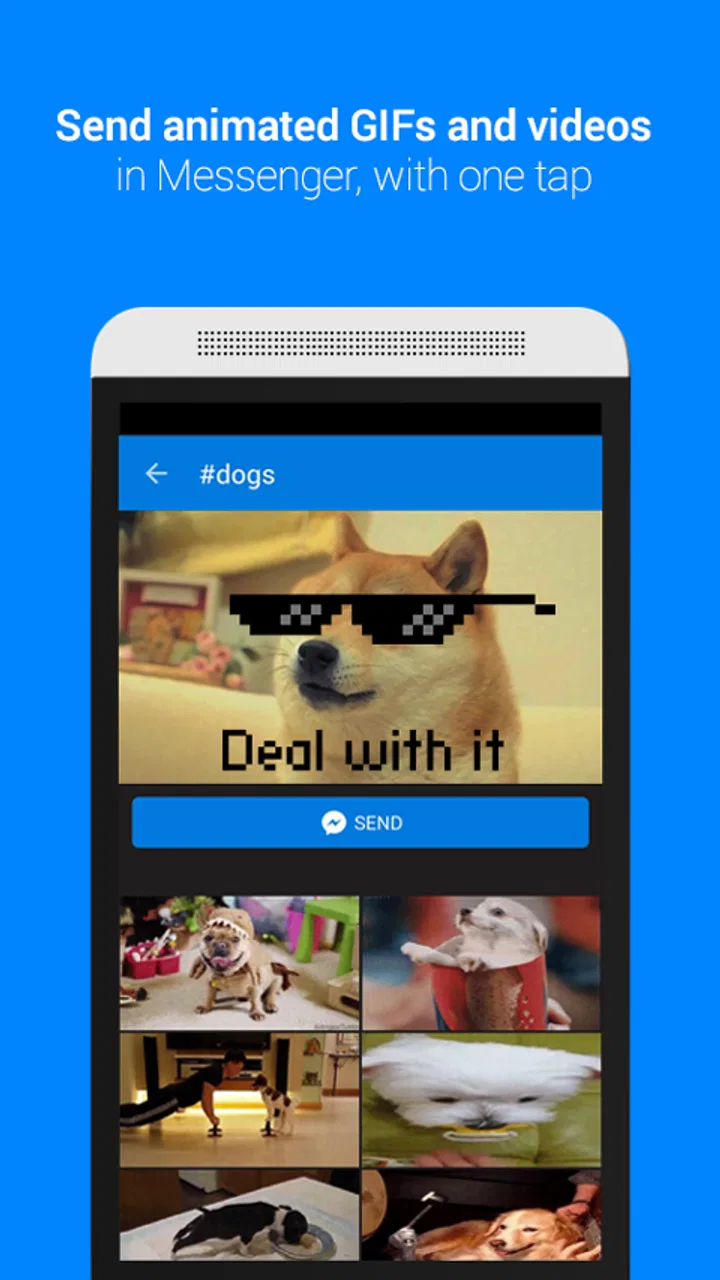
The making process is intentionally short. I open the keyboard inside a compatible conversation, search for a mood or subject, compare the available animations, and choose one that communicates quickly. The creative work happens in the selection: wording the search, recognizing the right emotional register, and deciding whether the visual belongs in that particular conversation.
That sounds simple, but it changes how I work. Instead of treating a GIF as an afterthought, I can use it as part of the message structure. I might write the factual part first and use the animation to show how I feel about it. Or I might send the GIF alone when the reaction is obvious enough. The app supports both approaches without making me build a separate file first.
A realistic example is a delayed group-chat reply. I may return to a conversation and see that everyone has already reacted to an announcement. Writing “I cannot believe I missed this” is functional, but a well-chosen surprised or celebratory animation can make the late response feel more engaged. I can search, select, and send it without leaving the thread to browse elsewhere.
Another workflow is using a GIF to reduce ambiguity. Text can be read in a voice the sender never intended, especially when teasing or disappointment is involved. A playful animation can signal that a short sentence is meant lightly. It is not a perfect substitute for clear writing, but it can provide useful emotional context.
Iteration happens through comparison, not editing
Traditional creative software lets me iterate by changing the work itself. Here, iteration means comparing alternatives. I adjust the search phrase, inspect different reactions, and reject anything that feels too intense, too obscure, or too slow to understand. The app is therefore strongest when the problem is “find the right existing expression,” not “improve this original animation.”
I recommend making one deliberate refinement before sending. If the first search produces a result that is technically relevant but emotionally wrong, I change the wording instead of settling for it. Searching for a situation, a feeling, or an action can lead to very different choices. This small step prevents the common problem of sending a GIF that matches the topic but misses the tone.
There is also a social iteration loop. I notice which kinds of reactions make conversations warmer and which ones distract from the point. Over time, I become faster at recognizing when a GIF is useful and when a plain sentence is better. The app does not replace judgment; it gives me a quicker palette from which to choose.
The limitation is that selection can become repetitive. If I use the same familiar reactions too often, the messages lose some personality. People who want complete creative control may find the lack of hands-on editing frustrating. I cannot treat this as a serious animation workstation, and I would not recommend it for someone whose main goal is to create a polished sequence from personal footage.
Handoff is the strongest part of the workflow
Once I choose a result, the handoff is immediate compared with a separate browsing-and-copying routine. That is the app’s clearest practical advantage. The creative asset moves from discovery to conversation with very little administrative work, which is exactly what I want when the value depends on immediacy.
This also makes it useful for people who do not want to manage another collection of downloaded files. I can treat the keyboard as an on-demand visual library rather than filling my phone with individual animations. For quick replies, that keeps the process tidy and avoids turning a small communication task into a file-management task.
Still, I would separate instant messaging from formal publishing. Before using any GIF in a public-facing project, I would consider whether it fits the intended audience, whether the reference could be misunderstood, and whether the destination platform handles animated media as expected. The keyboard makes sending easy, but ease of sending is not the same as editorial approval.
The Teen content rating is another reason I would use ordinary judgment when sharing. The app suits casual communication, but the appropriate reaction depends on the people in the conversation and the setting. A visual that works among close friends may be unsuitable in a professional group or a mixed-age community. Good selection remains part of the handoff.
Compatibility, cost, and everyday expectations
The app is free, which removes the biggest barrier for someone who simply wants more expressive replies. It supports devices running Android 7.0 or later, and the current version is 2.1.78. I would still keep expectations realistic: an app that sits beside everyday typing needs to feel convenient, and any extra step that interrupts writing can make the feature less appealing.
Its popularity suggests that the concept has broad appeal. The app has passed 50 million installs, with an average rating of 3.7 from around 257 thousand ratings and roughly 12 thousand written reviews. I read that as a sign of a useful but not universally perfect experience: many people want the convenience, while others may be more sensitive to search quality, keyboard habits, or the limits of a GIF-focused workflow.
It has been available since March 25, 2015, so this is not a brand-new experiment in visual messaging. That history is helpful because the idea is familiar and easy to understand. At the same time, users looking for a modern editor with detailed creative controls should not confuse maturity of the concept with the depth of a professional production application.
Compared with a standard keyboard’s emoji panel, this app offers more movement and expressive timing. Compared with a dedicated GIF editor, it offers much less control but far less effort. Compared with searching through a browser, it keeps the action closer to the conversation. Those are the three comparisons I find most useful when deciding whether it belongs on a phone.
Who should use it, and who should skip it
I would recommend it to people who regularly message friends, participate in active group chats, or want a faster way to add emotional nuance to short replies. It is also a good fit for anyone who finds emojis too limited but does not want to learn a full editing application. The free price makes it easy to try without committing to a paid creative suite.
I would be more cautious if your main goal is original content production. If you need to turn your own video into a carefully timed GIF, add precise text, build a repeatable visual style, or prepare assets for a campaign, a dedicated editor will be the better tool. The keyboard can help with inspiration or casual sharing, but it is not a replacement for a proper creation pipeline.
I would also skip it if you rarely use animated reactions or prefer a quiet, minimal typing setup. Adding a visual search layer has no benefit when a normal keyboard already covers your needs. The app earns its place by saving time for a specific behavior; it does not need to be installed by someone who will never use that behavior.
My creator-focused verdict
After using GIF Keyboard by Tenor as a working tool, I see it as a fast finishing stage for conversational creativity. The starting point is an idea about tone, the making process is search and selection, iteration is comparison, and delivery happens directly where the audience already is. That is a coherent workflow, even though it is intentionally lightweight.
Its best quality is not the novelty of animated images. It is the reduction of distance between feeling something and expressing it visually. When I choose well, a GIF makes a message clearer, warmer, or funnier without requiring a long explanation. The app is particularly effective when timing matters and when I need a reaction rather than a finished media project.
Its main weakness is equally clear: I am selecting from a library instead of shaping every part of the output. That can limit originality, consistency, and control. I also need to think about audience and context rather than assuming that a funny animation is automatically appropriate.
For me, the recommendation is straightforward. Install it if you want a free, quick way to add personality to everyday conversations and you are comfortable treating GIFs as expressive building blocks. Choose a dedicated video or animation editor if your destination is a polished, original asset. Used for the job it was designed to handle, this app turns a small creative decision into a fast and genuinely useful part of communication.
FAQs for GIF Keyboard by Tenor
01What is GIF Keyboard by Tenor and how does it work?
GIF Keyboard by Tenor is an app that allows users to search, share, and create GIFs directly from their keyboard. It integrates with popular messaging apps and social media platforms, enabling you to express yourself with animated images effortlessly. Simply install the app, enable it in your keyboard settings, and start sending GIFs with ease.
02Is GIF Keyboard by Tenor free to use?
Yes, GIF Keyboard by Tenor is free to download and use. The app offers a wide variety of GIFs without any cost. However, you might encounter ads within the app, which help support its free features. There are no hidden charges or subscription fees involved.
03How do I install and set up GIF Keyboard on my device?
To install GIF Keyboard by Tenor, visit the Google Play Store or Apple App Store and download the app. Once installed, go to your device settings, navigate to the keyboard settings, and enable GIF Keyboard. Follow the on-screen instructions to set it as your default or secondary keyboard.
04Can I use GIF Keyboard by Tenor on all messaging apps?
GIF Keyboard by Tenor is compatible with most popular messaging apps and social media platforms, including WhatsApp, Facebook Messenger, Instagram, and Snapchat. However, availability may vary based on app updates and device compatibility, so check specific app requirements if you encounter any issues.
05Is my data safe while using GIF Keyboard by Tenor?
Tenor takes user privacy seriously and implements security measures to protect your data. The app may request access to your keyboard input and internet connection to function effectively. It's important to review the app’s privacy policy to understand what data is collected and how it's used, ensuring your peace of mind.
Pros
- Extensive library of GIFs for all occasions.
- Seamlessly integrates with popular messaging apps.
- Easy-to-use interface with intuitive search.
- Supports multiple languages for global use.
- Regular updates with trending GIFs.
Cons
- Requires internet connection for GIF access.
- Can be slow on older devices.
- Occasional bugs with GIF loading.
- Limited customization options.
- Ads can be intrusive at times.

GIF Keyboard by Tenor
Gallery